Tech in Education: Keeping Us Ahead of the Curve


Nowadays, it's very easy to satisfy the desire to learn something by logging in to the Internet. While there are a number of paid services, free is the word of the day! Whether you are currently in school or simply interested in a topic, you have your choice from several sources. Here are three of my favorites.

MIT OpenCourseWare
The Massachusetts Institute of Technology offers a large number of courses online for free. A class can include a combination of lecture notes, exams, labs, background reading, and even video. Many of the popular classes are the typical MIT topics such as engineering and computer science, but there are also liberal arts classes available as well as classes from its Sloan business school.

Khan Academy
Khan offers a variety of videos each dedicated to a single educational topic. I've personally found it to be an excellent way to reinforce concepts for children. I tutor students in Algebra, and its a great resource to ensure that I am up to speed on alternate ways to attack a concept. Additionally, it's a great resource for my students to browse between our tutoring sessions. Think of it as YouTube for education. Wired recently had a great story on this resource.

Online Tutoring
If a traditional one on one role is needed, there are several websites that connect people with tutors via text or video chat. They often offer an online whiteboard to be able to work out specific problems with students. Communication is through text chat, with the option for voice chat. These services cover various classes, from science to English to history. The example given, Tutor.com, provides free access in several participating libraries in the US.

Any other cool sites?

Google+ and Twitter: A Month In


Every time I leave Google+ and duck back into the Twitterverse, I get frustrated at a few things:

1) Lack of stickiness. It is way too easy to miss posts. I have a bunch of Twitter lists that help, but I still end up doing a lot of scrolling. Messages that can fit in what G+ message are only broken up into dozens of tweets, filling my stream. This also has the opposite effect - if I tweet, I usually get all of the responses that I'm going to get within an hour or so. My G+ posts get responses, likes, and shares days after I post them.

2) Spammers. I'm sure G+ will get its fair share of spammers and bots, but I haven't seen any yet. I hate when i get an @ reply based on one of my posts matching some random bot algorithm.

3) Lack of visualization. Twitter's stream of text is beginning to look boring. I really, really love how visual G+ is, with pics and videos (yes, and animated Gifs) right in the browser.

These are issues that I learned to deal with before Google+, mainly because Twitter is so much better than alternatives like Facebook when it comes to having a conversation. But now, they stick out like a sore thumb.

Google+ For iPhone: Needs a Bit More Time In The Oven

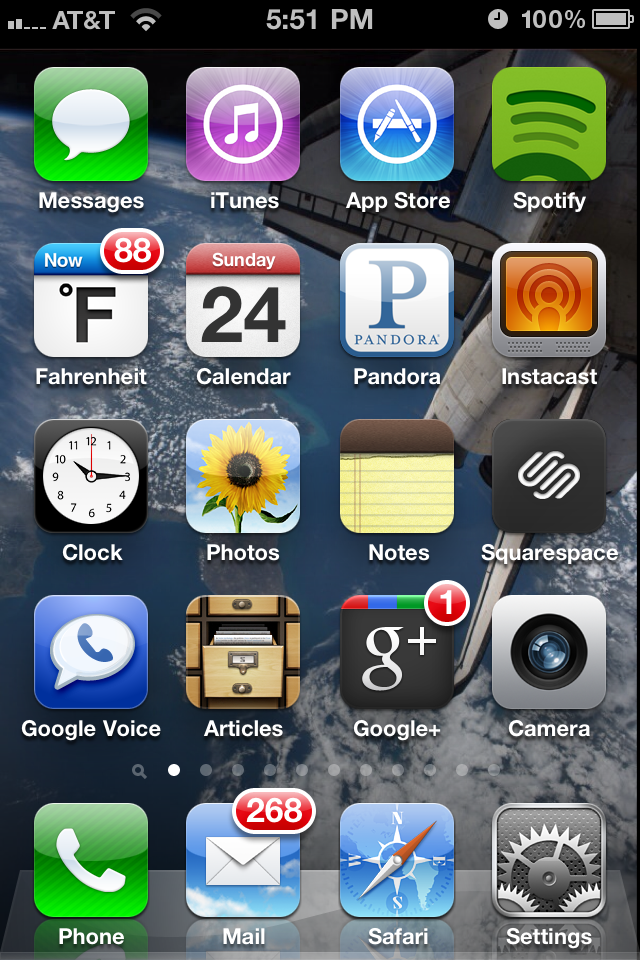
 The Google+ app has replaced the Calculator on my home screeen


Google finally released an iPhone app for its Google+ social network. However, there are a few things that are missing - things that make it hard for me to depend on the app for my mobile social networking needs.


Photo Problems

The good news is that I can take a photo on the iPhone and upload it directly to Google+, which is great for random daily shots. However, the pics automatically go into its own album.  If I have an existing album that I want to add photos to, I can't.  Also, I can't create an entirely new album and add photos to it.  These are all things that I can do in the Facebook app, and really helps to keep track of photos taken during a trip.


Post Management

Tagging people in posts is totally borked. It brings up a list of random users that I may or may not be connected with, instead of prioritzing people that I've already added to circles like the desktop version of Google+ does.  This is especially inconvenient when commenting on posts whcih a large amount of existing comments.

When I'm Twitter, I'm a constant retweeter.  I believe in spreading info that people have already provided, which also gives them credit.  Unfortunately, I can't do that in the Google+ app. I can vote up (or +1) posts that I like, but I can't +1 individual comments. 


Other Annoyances

Most icons within the app do not change at all when you press them.  If I press a button, I can't tell if the app has frozen, if the app didn't register my touch, or if the app is just taking its sweet time to load. It's incredibly annoying.


iPhone - Legal Jailbreaking


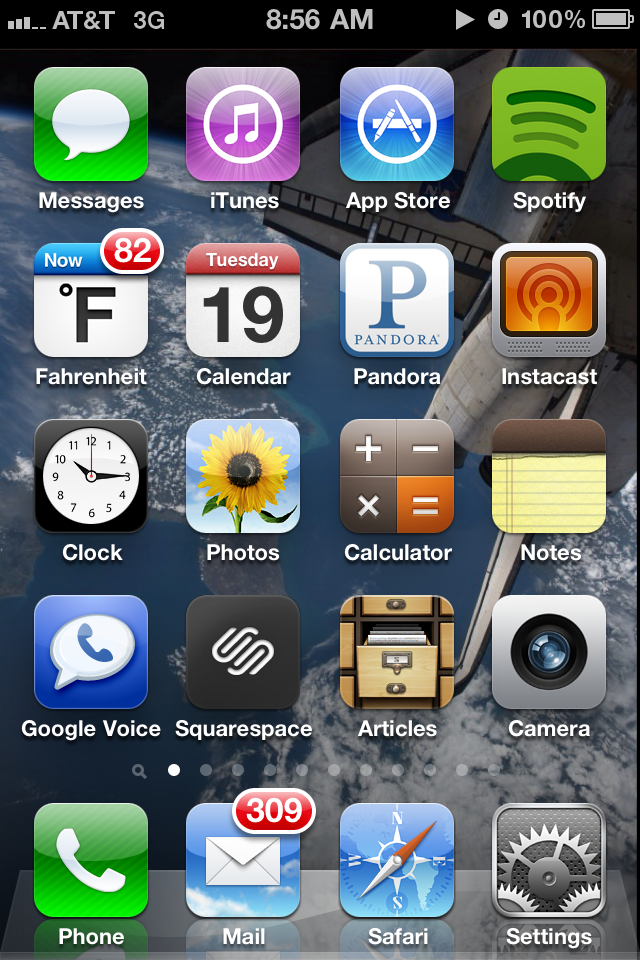
Check out my iPhone home screen below.  It used to be that you need to hack into your iPhone ("jailbreaking") to enable cool third party applications that were superior to the existing Apple apps. The sucess of the App store combined with a relaxing of Apple's policy has given a rise to the number of approved apps that are awesome.  And guess what, Apple finally realized that it means more money for them! Remember, they get 30% of every App sale.  Combine that with the fact that an (admittenly) small amount of people will buy a phone based on some of these apps, and it's a win - win for all.

Spotify - Music player and discovery engine (see my Spotify post)

Instacast - Podcast player. Features automatic downloading, favoriting, and importing from itunes

Farenheit - Updates the weather right on the home screen - can open it for more details.  Yes, it's 82 degrees at 9 in the morning.

Pandora - Streaming internet radio

Google Voice - Get text transcripts of voice mails

Squarespace - The software I use to power this site. I can make and edit posts, manage comments, and view website stats

Articles - Wikipedia with an easy to use interface